
What is eSIM?

eSIM (Embedded SIM) is a digital SIM embedded directly into a device. Unlike physical SIM cards, it allows carrier switching without hardware replacement. This esim installation guide covers how to activate esim on compatible devices. For international travel or backup data plans, following a proper esim activation guide ensures reliable connectivity. Device compatibility is required for full functionality.

Comparison between eSIM and Physical SIM

Experience the convenience and freedom of the next-generation communication technology

Cinqstella eSIM

Network Carrier
Not tied to a physical card; can switch between different carriers digitally.
Mobility
Embedded within the device, cannot be physically removed.
Activation Method
Activated digitally via software, no physical operation required.
Device Transfer
Can be remotely transferred to another device without changing the SIM card.
Device Compatibility
Commonly found in newer flagship devices (such as iPhone, Samsung, Google Pixel, etc.).

Physical SIM

Network Carrier
Typically locked to a specific carrier (unless the device is unlocked).
Mobility
Can be removed from the device and transferred to another device.
Activation Method
Requires manual insertion of the SIM card and activation.
Device Transfer
Needs to be removed and replaced to transfer.
Device Compatibility
Compatible with most phones, including older models.
Cinqstella eSIM Advantages for International Travel
Affordable data plans
Refuse expensive international roaming charges and enjoy localized affordable packages.
Multi-country compatibility, flexible switching
Covering multiple countries, with cross-border automatic network switching.
Convenient and seamless activation experience
No need to wait for logistics. Just scan the code to connect.
More environmentally friendly choice
Reduce carbon emissions from the manufacturing and transportation of plastic cards.


Before your journey begins, please ensure that your device is compatible with eSIM.

Perform a quick self-check in 30 seconds, compatible with iPhone, Samsung, Pixel and various other models.

How to install esim for Cinqstella?

Follow this esim installation guide for a smooth setup. Complete each step below to activate your plan before departure.

Step 1
Purchase

Purchase

Buy your destination eSIM and get the QR code.

Step 2
Install Early

Install Early

Set up and activate the eSIM before you travel for instant connection upon arrival.

Step 3
Choose Device

Choose Device

Select your device to continue.

Step 4
Scan

Scan

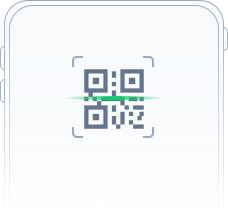
Use your device to scan the provided QR code.

Step 5
Manual Settings

Manual Settings

If scanning doesn't work, enter the activation code manually.

Please select your activation method

Choose your preferred activation method below. Whether you need iphone esim setup, esim setup samsung, or pixel esim setup—including iphone 16 pro esim setup—simply follow the instructions for your device.

Scan QR Code
Manual Activation Code Input
icon

iOS & Samsung

Use the phone's camera to scan the QR code.Tap "Cellular Plan" to install.

icon

Google Pixel

Go to "Settings" > "Network & Internet" > "Mobile Network" or "+" > "Add More"Scan the QR code to install.

For a smoother journey, it is recommended to install and set up the eSIM before departure. This way, you can activate and use it as soon as you arrive at your destination. Ensure you can quickly connect to the network and stay in touch easily as soon as you land!

contactUs

We're always here for you.

If you need help or have any questions, please email us at support@cinqstella.club